Financial management · Assessments
HOA assessments, without the spreadsheet scramble.
Turn approved assessment rates (dues) into accurate, reviewable billing periods - then publish notices, track payments, and preserve the history in one connected system.
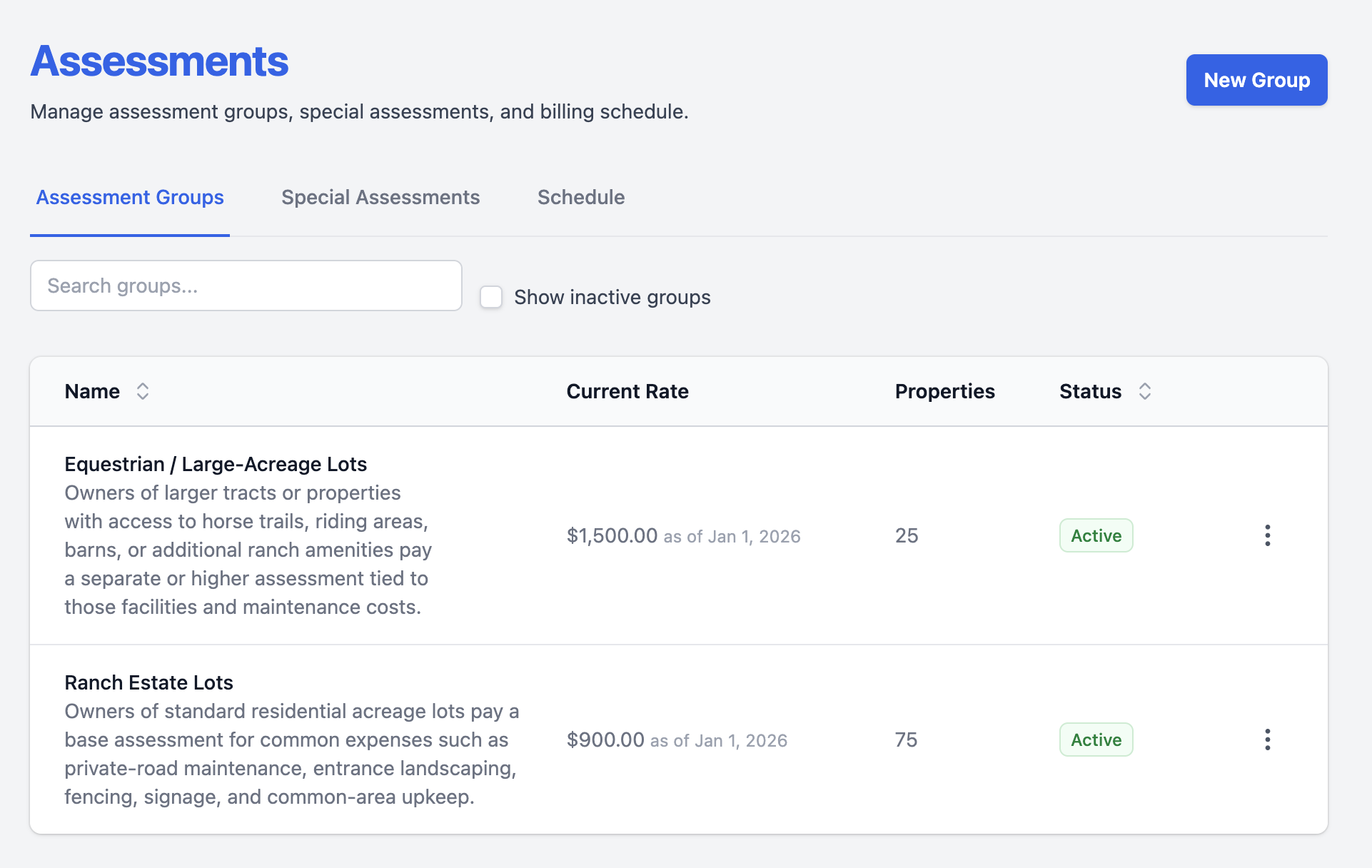
What is HOA assessment software?
HOA assessment software helps an association calculate, schedule, review, publish, and track recurring dues and special assessments. In totalHOA, each charge is tied to the property, the approved rate, its effective date, the resident’s account, and the resulting payment history.
Replace manual HOA billing
One approved rate. One reliable path to every account.
When the property roster, billing spreadsheet, resident email list, and payment records live in separate tools, small changes become recurring manual work - and quiet errors can follow a board for months.
Assessments connects the rate to the homes it applies to. The same record drives the billing period, resident notice, account balance, statement, and payment workflow.
Stop rebuilding the billing list
The property roster is the billing roster. Assign a home to an assessment group once, and its approved rate follows that property.
Review before residents owe
Generated amounts stay in draft until an administrator publishes the period. The board can check the run before notices go out.
Keep the history intact
New rates carry effective dates instead of replacing old values, so future boards can see what was charged and when.
How HOA assessment billing works
From board approval to a settled balance.
Automate the repetitive parts while keeping a deliberate human checkpoint before residents are charged.
Record the rate
Add the amount, effective date, and an optional note explaining the change.
Generate the period
The schedule creates draft amounts for each eligible property at the correct rate.
Review and publish
Confirm the run, then publish it. Only then do amounts become due and residents get notified.
Collect and reconcile
Payments, credits, balances, statements, and late-fee rules all work from the same account record.
Crestview Meadows
October 2026 billing period
October 1–31 · Due September 30
- Properties
- 84
- Total draft charges
- $11,880.00
- Status
- Ready to review
| Property | Assessment group | Amount | Status |
|---|---|---|---|
| 128 Willow Lane | Single-family homes | $150.00 | Pending |
| 132 Willow Lane | Single-family homes | $150.00 | Pending |
| 14 Meadow Court | Townhomes | $120.00 | Pending |
Capabilities
The rules your board approves become the rules the system follows.
Set the structure once, then let each billing cycle use the correct properties, rates, dates, and account history.
Effective-dated rate history
Enter next year’s increase now without changing today’s rate. Prior rates remain available as a permanent record.
Multiple assessment groups
Support different home types, neighborhoods, or amenity surcharges with separate rates inside the same community.
Flexible recurring schedules
Bill monthly, quarterly, semi-annually, or annually, with configurable period names and due dates.
Special assessments
Create a one-time levy or divide it into monthly installments, target the right properties, and track collection progress as one object.
Discounts and account credits
Apply dated flat or percentage discounts during generation, then use available account credit before a new balance is collected.
Proration and late-fee rules
Split unpaid dues by day at an ownership transfer and apply consistent flat, percentage, or tiered late-fee policies.
Crestview Meadows
Rate history
Single-family homes · Monthly dues
| Effective from | Monthly rate | Status |
|---|---|---|
| Jan 1, 2027 | $160.00 | Scheduled |
| Jan 1, 2026 | $150.00 | Current |
| Jan 1, 2025 | $140.00 | Previous |
Current billing periods keep their approved rate.
Crestview Meadows
Pool repairs
Special assessment · 6 monthly installments
- Total charged
- $15,120.00
- Paid
- $10,080.00
- Outstanding
- $5,040.00
6 installments of $30, starting July 2026
Time, energy, and cost
Give volunteers fewer things to copy, reconcile, and remember.
Prepare recurring billing automatically
Schedules create upcoming periods and generate the right amounts, reducing the work required each billing cycle.
Answer fewer routine questions
Residents can see balances, due dates, payment history, and downloadable statements without asking the treasurer to reconstruct them.
Prevent avoidable billing errors
One connected property and account record reduces missed homes, duplicate effort, and the cleanup caused by disconnected spreadsheets.
One process, two clear experiences
Control for the board. Clarity for the resident.
Board and administrators
Residents
Crestview Meadows
Your account
128 Willow Lane · September 2026
- Current balance
- $180.00 Due September 30
- Last payment
- $180.00 September 3
| Date | Activity | Amount |
|---|---|---|
| Sep 1 | Monthly assessment | $150.00 |
| Sep 1 | Pool repairs · installment 3 of 6 | $30.00 |
| Sep 3 | Online payment | −$180.00 |
| Sep 15 | October assessment | $150.00 |
| Sep 15 | Pool repairs · installment 4 of 6 | $30.00 |
Connected financial operations
An assessment should not end in another spreadsheet.
Once published, the assessment joins the household’s charges, payments, and account history.
HOA assessment software FAQ
Common questions from HOA boards.
Yes. Create an assessment group for each tier, give each group its own effective-dated rate, and assign the appropriate properties. A community can also run a separate surcharge for a subset of homes.
Yes. Add the new rate with the date it takes effect. Existing periods continue to use the current rate, while periods beginning on or after the effective date use the new one. The prior rate remains in the history.
totalHOA supports monthly, quarterly, semi-annual, and annual assessment schedules, with configurable fiscal-year timing and due dates.
Yes. Generated amounts remain pending in a draft billing period and are hidden from residents. An administrator can search, filter, and review the run before publishing it.
Yes. A special assessment can be billed as a lump sum or divided into as many as 60 monthly installments. Each installment is labeled and tracked as part of the same levy.
Ownership Transfer can split an unpaid assessment by day count between the outgoing and incoming owners. The two prorated amounts remain linked and always add back to the original charge.
No. totalHOA provides consistent records and configurable billing controls, but legal notice requirements and state-specific compliance should be reviewed with the association’s counsel.
See Assessments in action
Run the next billing cycle with less manual work.
We’ll walk through a real assessment group, draft billing period, resident notice, payment, and statement - end to end.